
For agencies running client work from scope to invoice
AI-native operating systemfor digital agencies and businesses.
One agent to run your agency and your business. CRM, projects, resources, finance, and the Voice Agent share one record — from the signed scope to the invoice.
Six modules. One knowledge graph. One Agent
$9 per member / month, billed annually. Voice Agent is $15 per studio. 14 days free.
- CRM
- Client 360
- Projects
- Resources
- Finance
- Voice Agent






Six modules. One knowledge graph. One Agent
CRM
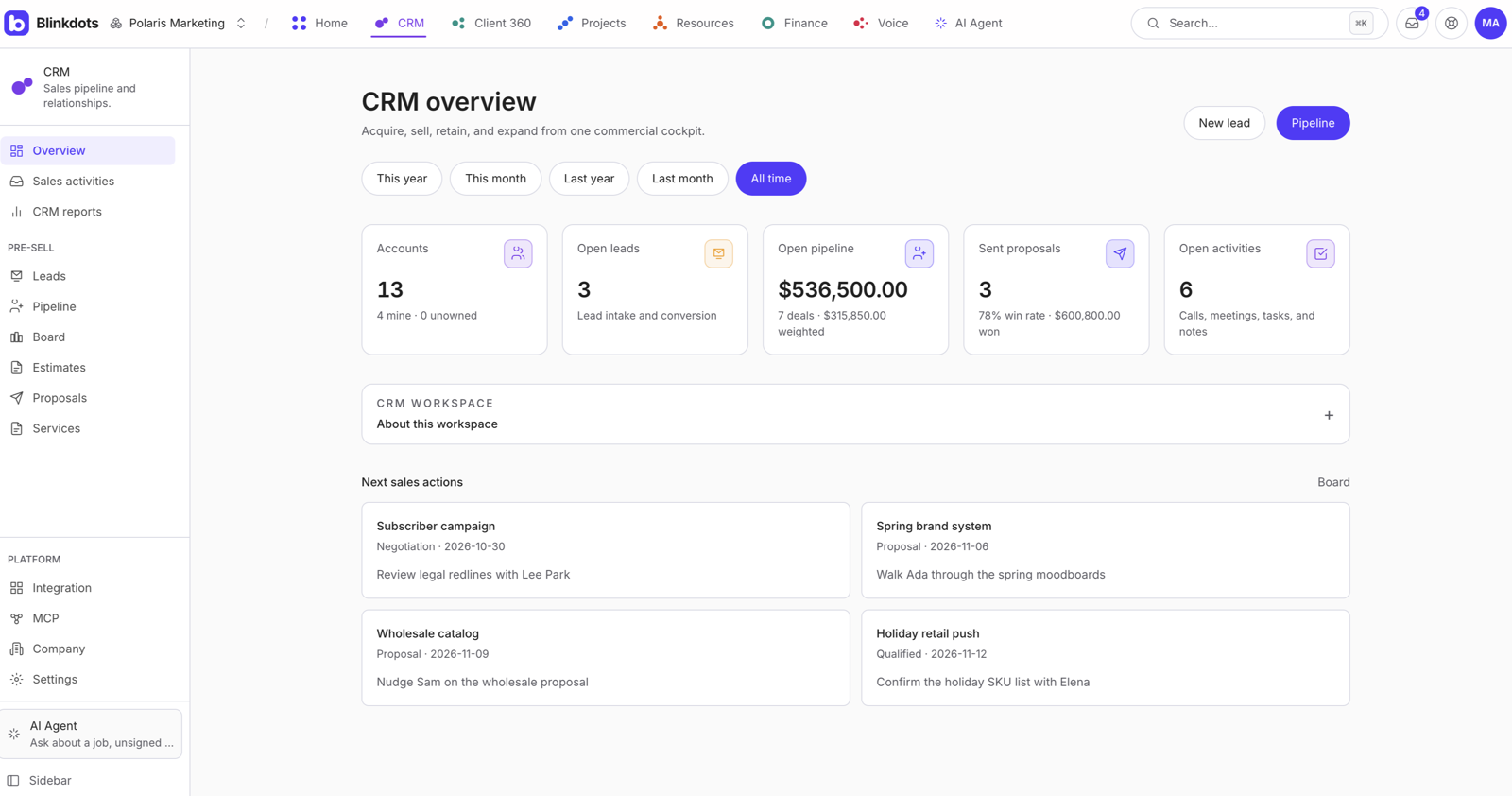
Leads, pipeline, and the next action. Sales owns the deal from first contact through the proposal.

Voice Agent.A live line that answers from the job record.
The voice line uses the same knowledge graph as AI Agent. A known caller hears their project. An unknown caller hears public services and sayable prices — never another client’s work.
Live call sample
Luma Studio calls the studio line.
Blinkdots matches the caller to the client account, reads the active project, and answers from approved context. Anything that sends paper still waits for owner approval.
- Caller
- Miles · Luma Studio
- Matched account
- Luma Website Launch
- Open item
- $2,400 change order
- Safe action
- Send sign link
- Known callers hear only their own projects.
- Unknown callers hear public services and sayable prices.
- The line does not dial out, send documents, or expose another account.
Blinkdots Voice
Miles is ready
Project desk
Start a call with Miles from Luma Studio and watch how the voice line answers from the client, project, scope, and invoice record.
Try project status · invoices · services
Website widget.Your voice line, one snippet away from every visitor.
Put the voice agent on your own website. A visitor taps once, talks to your studio's line, and gets answers from public services and prices, with no phone call and no form.
- 1
Paste one snippet
Add the Blinkdots script tag to any site. No plugin, no phone number.
- 2
Visitors talk in the browser
One tap opens the call window. The voice line answers right away.
- 3
Same rules as the phone line
Visitors hear public services and sayable prices. Never another client's work.
- 4
Only on your sites
Set the allowed sites. Other websites cannot reuse your snippet.
Paste before </body>
<script src="blinkdots.com/voice.js"
data-key="pk_luma…" />

Change orders.Out of scope becomes a signed line.
The extra work is a Slack message. The project doesn’t change. Finance finds it on invoice day.
01
The thread is the request
Two extra templates in Slack. Blinkdots tracks it on the job — not as a forgotten message.
02
An owner sends the change
AI Agent drafts it. Nothing reaches the client until Approve.
03
They sign. Finance gets a line.
A public link. No account. $2,400 lands on INV-04.
- PPriya9:14
Can we add two extra templates before launch?
👀 2 - JJordan9:16
Yes — we can add those. I’ll draft the change order now.
1 reply
Drafted change order CO-04 for $2,400.
Blinkdots tracked this thread as the $2,400 change order.
Change order
Two extra templates
Luma Studio · Website Launch
Waiting on an owner
Approve
Margin you can measure
See. Score. Invoice.
Most agencies discover margin risk on invoice day. Blinkdots scores every job from signed scope, logged time, and invoices — so you know what changed before finance sends.
Live signals. Signed change orders, logged hours, open invoices, and tickets — all tied to the same client and job.
A score per job. Each job gets a margin score from scope, rates, and time. Review the number before the invoice goes out.
Coverage you can trust. See what is already on the record — signed scope, time, invoices — and what still needs attention.
Scope changes captured. A Slack request becomes a tracked change on the job, so extra work is visible before billing.
Luma Studio · Website Launch
On trackMargin score
+12 from last month
Signals
- Change order signed$2,400
- Hours logged18.5h
- Invoice INV-04Sent
Job coverage
- Signed scope94%
- Time logged78%
- Invoiced62%

Knowledge graph.One job record, not six folders.
Blinkdots connects the client, scope, Slack requests, hours, signed files, invoices, and calls. Agents answer from those relationships instead of searching scattered folders.
01
What was sold
The SOW and every signed change stay attached to the client and job.
02
What changed
Slack requests, tickets, and approvals become part of the same job record.
03
What can be billed
Hours and invoices are checked against signed scope before anything is sent.
Pick a source. The graph shows how each signal connects to the job.
Graph answer
Luma Studio has sat in proposal for 9 days. The last activity is a follow-up that never sent.
What’s stalled in the pipeline?
Draft the follow-up from the last proposal. An owner hits Approve.
Draft ready
Approve
The portal.You invited them. They never logged in.
Every other PSA gives the client a seat. Then you onboard them, reset the password, and they still email you for the invoice.
01
Another login they will forget
Invite, password, SSO. They abandon the form. You reset it twice.
02
A seat on your bill
Client licenses on a dashboard they open twice a year. You still pay.
03
Status still lives in email
They write you for the invoice, the ticket, the change order. The portal sits empty.
Client experience
They get a link. Not a seat.
One unique link, opened with a PIN. Project status, service tickets, invoices, and change orders to sign. No client account.

Platform.The shop around the work.
Who can sign in, what they can open, and what changed. Reports sit on the same graph.
- TeamThe people who can log in. Clients never get a seat.
- AccessOwners see every feature. Everyone else gets one role.
- AuditWho changed what, from which IP. Sign-ins, signatures, and edits.
- Business intelligenceReports, and where scope slipped, on the same graph.
- BrandingThe studio’s name, mark, and the paper clients see.
- UsageSeats and voice minutes, before the bill is a surprise.

Integrations.Capture work where it already happens.
Connect the tools your agency already uses. Blinkdots pulls the signal back to the same client, project, paper, and finance graph.

Need a way in?Pick a door. Same product behind each one.
Run the agency fromonedashboard.
Open projects. A change becomes a draft, then a signature, then a line item.
Or write admin@blinkdots.com.
Recognised by Startup India